Basler 2.5GigE Interface Card, 4-CH PoE+#
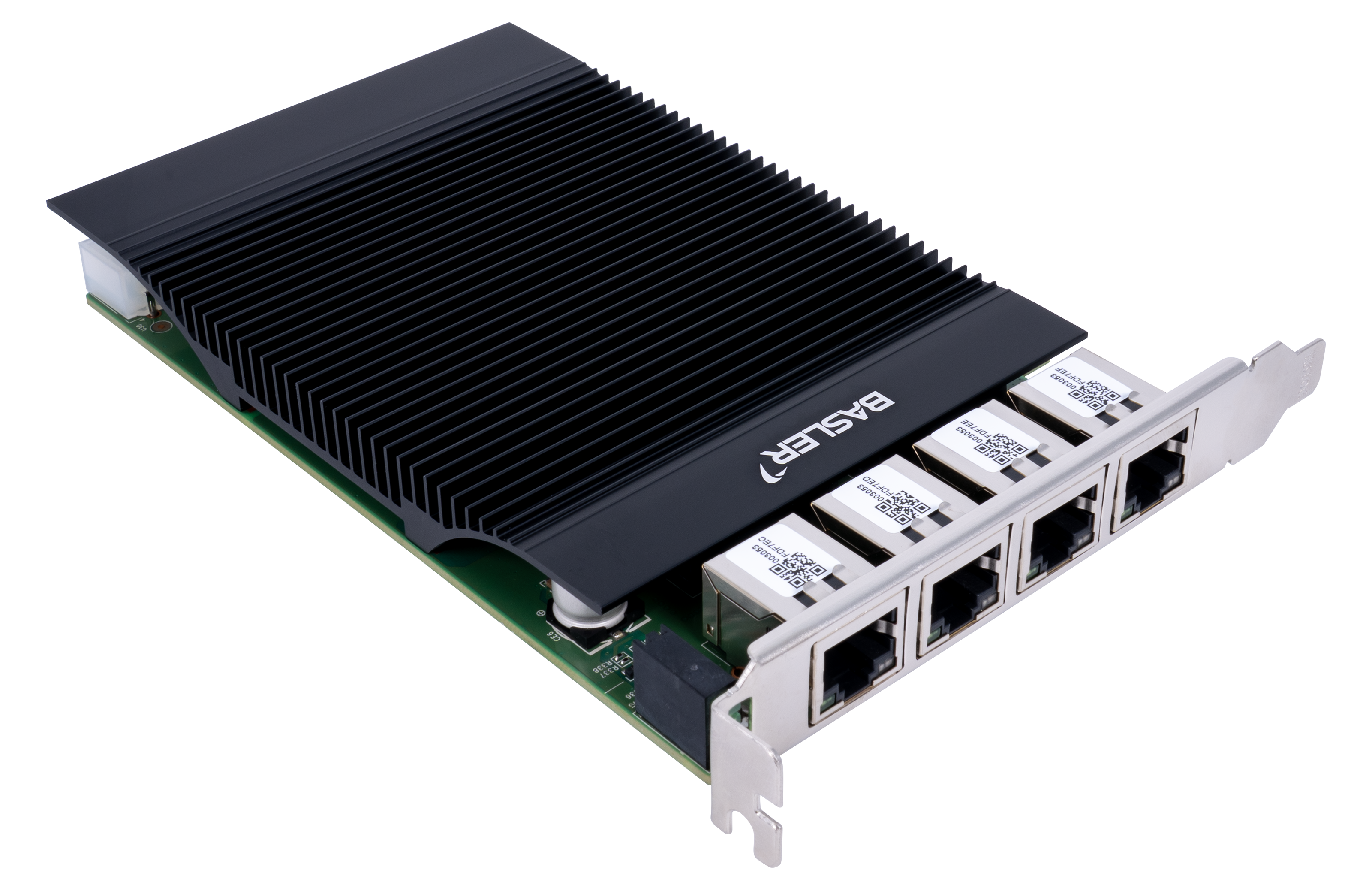
信息
主要功能#
- 经过 GigE Vision 验证
- Power over Ethernet+ (PoE+),每个端口最高 30 W(四个端口总共 90 W)
- 通过硬件开关进行 PoE 开/关控制
- IEEE 1588 Precision Time Protocol (PTP)
- 自动协商(2.5 Gbps、1 Gbps、100 Mbps、10 Mbps)
- 使用 Basler 分配的 MAC 地址范围以简化识别
通用规格#
| 2.5GigE Interface Card, 4-CH PoE+ | |
|---|---|
| 订单号 | 2200002428 |
| 以太网控制器 | Intel I226 |
| 端口数 | 4 |
| 端口 | RJ45 |
| 数据速率 | 2.5 Gbps / 1 Gbps / 100 Mbps / 10 Mbps |
| 附加超薄型支架 | 无 |
| PCIe 版本和通道 | 2.0 x4 |
| 受支持的 Standard | IEEE 802.3 IEEE 802.3u (100BASE-TX Fast Ethernet) IEEE 802.3ab (1000BASE-T Gigabit Ethernet) IEEE 802.3bz (2.5GBASE-T 和 5GBASE-T;卡运行最高可达 2.5GBASE-T) IEEE 802.3x (以太网流量控制) IEEE 802.3at (PoE+) |
| 附加功能 | IEEE 1588 Precision Time Protocol (PTP)、UEFI、Wake on LAN (WoL)、巨型帧(最高 9.2 kB) |
| 电源/PoE+ 输入 | 来自 PCIe 插槽的 12 V DC,或 来自 4 引脚 Molex 连接器的 12 V DC |
| PoE+ 输出 | 每个端口最高 30 W;四个端口总共最高 90 W |
| PoE 控制 | 通过硬件开关进行 PoE 开/关控制 |
| 线缆类型和长度 | Cat5e、Cat6A 或 Cat7;支持最远 100 米的距离 |
| 电气保护 | ESD 高达 8 kV;浪涌保护 2 kV |
| 符合标准 | CE、FCC、RoHS、KC 您的 2.5GigE Interface Card 证书 有关详细信息,请参阅 Basler 网站上的 Compliance 部分。 |
| 功耗(板卡电子元件) | 最大 9.36 W |
| 针对巨型帧的 最大数据包大小 | 最高 9.2 kB |
巨型帧
如果您想将巨型帧的数据包大小设为最大值,请按照 网络配置(GigE 相机) 主题中的说明将网卡设为最大值。同时,将 GevSCPSPacketSize 参数设为最大大小。请注意,大多数 Basler ace 2 相机仅支持最大 8192 字节的数据包大小。
LED 状态指示灯#
| LED | 2.5 Gbps 时的状态 | 1 Gbps 时的状态 | 100 Mbps/10 Mbps 时的状态 | 含义 |
|---|---|---|---|---|
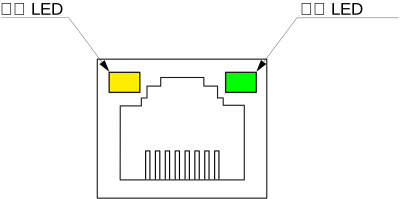
| 连接 LED | 绿色恒亮 | 橙色恒亮 | 熄灭 | 与主机的连接已建立 |
| 网络 LED | 呈绿色闪烁 | 呈绿色闪烁 | 呈绿色闪烁 | 网络流量处于活动状态 |
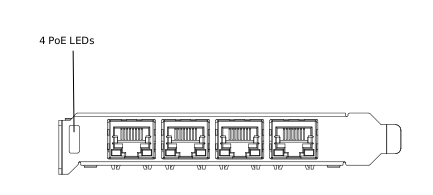
| PoE LED | 绿色恒亮 | 绿色恒亮 | 绿色恒亮 | 通过 PoE 向设备供电 |
Link LED 和 Network LED#
PoE LED#
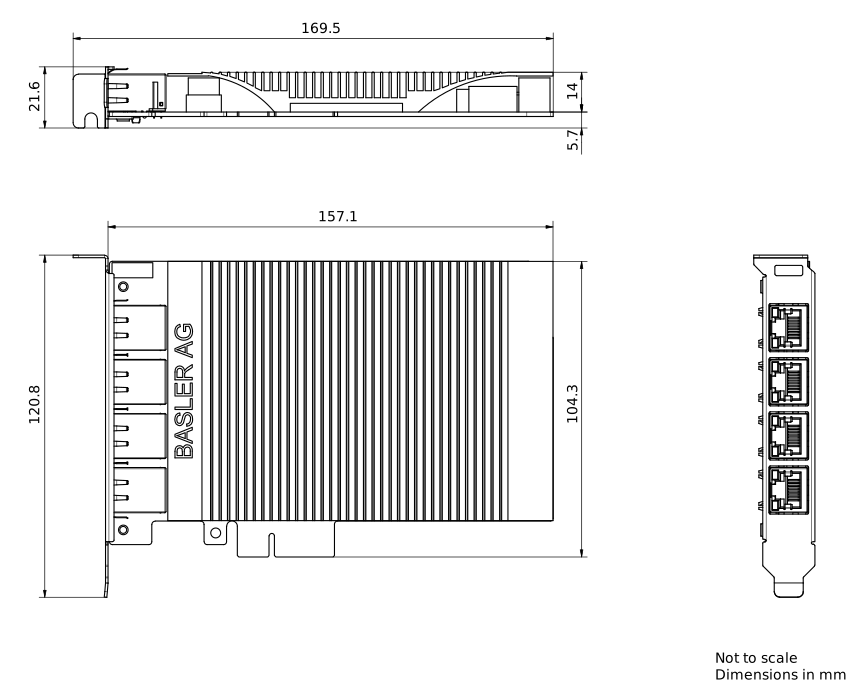
GigE 接口卡尺寸#
环境要求#
Basler GigE 接口卡仅供室内使用。
| 操作温度 | 0–55 °C (32–131 °F) |
| 存放温度 | -40–70 °C (-40–158 °F) |
| 湿度 | 最大 90% 相对湿度,无冷凝(指定温度为 35 °C) |
请确保空气流通充足,以将运行时的温度保持在指定范围内。通常不需要额外的冷却设备,但如有必要,应予以提供。