FirmwareUpdater#
若要获取所有可用选项和参数的摘要,请使用以下命令调用 FirmwareUpdater 工具 --help 选项:
FirmwareUpdater --help
关于固件版本的一般信息#
固件版本分为三个部分:
- 动态固件版本以主要和次要版本的形式给出(例如:1.0)
- 静态版本以 S 开头,以主要版本和次要版本的形式给出(例如:S1.2)
- PCIe 核心版本以 P 开头,以主要版本的形式给出(例如:P0)
动态固件已完全集成到 applet 中,不属于烧录固件的一部分。这就是固件烧录文件中省略动态固件版本的原因。在 FirmwareUpdater 中,仅使用静态和 PCIe 核心版本。
Applet 仅与特定的静态版本兼容。通常,每次安装 Framegrabber SDK 时,都会提供与 Applet 所需版本相匹配的固件更新文件。与 Applet 一样,PCIe 内核也依赖于静态版本。对于每个新的静态版本,它都从 0 开始。例如,从 S1.1 P1 更新到 S1.2 P0 并不意味着对 PCIe 内核版本进行降级。
信息
与上一代 Basler 采集卡(microEnable 5 marathon 系列)不同,Applet 不会烧录到板卡上。只要 Applet 与已安装的固件版本匹配,就可以加载它们。
固件更新是分区的,并提供两个独立的分区,使固件更新更安全。如果在固件更新过程中出现任何问题,例如,由于电源故障,则只会损坏一个分区。系统将自动使用另一个分区。
检查固件更新#
若要检查可用更新,请在不带任何选项和参数的情况下运行 FirmwareUpdater 工具:
FirmwareUpdater
在以下示例中,系统中有两块板,其中一块需要更新:
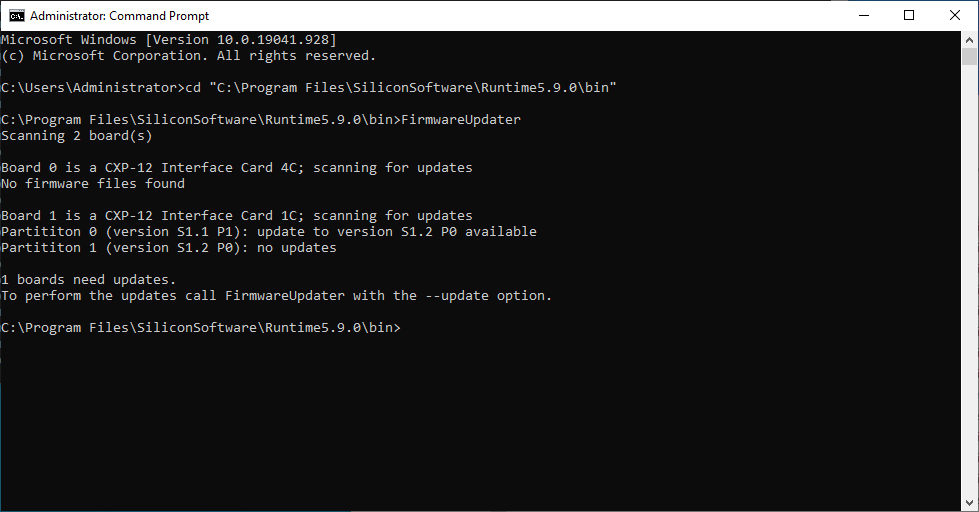
如果有任何板卡需要更新固件,FirmwareUpdater 工具将打印一条简短的消息。
更新固件#
要更新采集卡固件,请使用 --update 选项:
FirmwareUpdater --update
信息
切勿关闭运行 FirmwareUpdater 的窗口,切勿按 Ctrl-C 或以任何其他方式中断更新过程,并且在所有更新完成之前,切勿关闭计算机电源。
在更新过程中,活动和进度将通过一个简单的进度条显示。FirmwareUpdater 将自动执行所有更新:
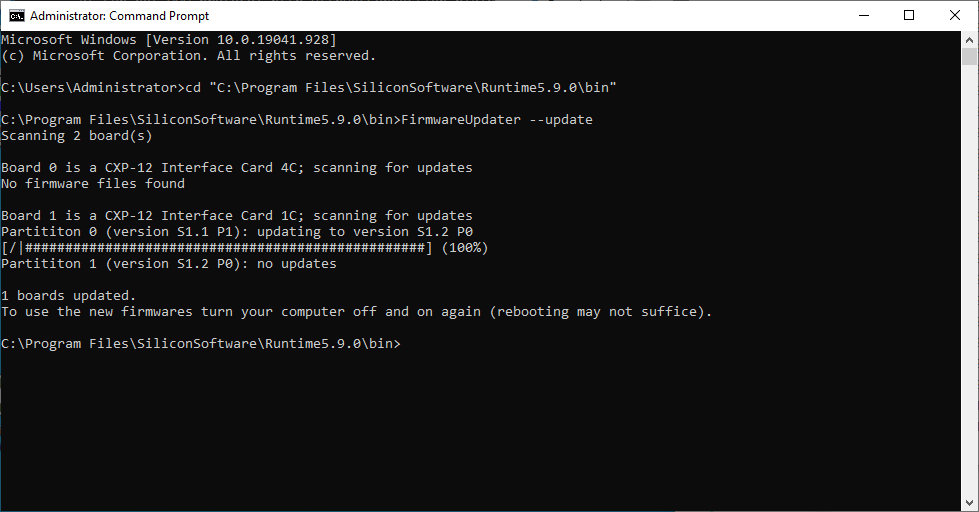
更新过程完成后,会显示简短摘要并打印一条消息,要求您关闭计算机电源。由于固件是在开机阶段加载的,因此激活更新的固件需要重启计算机。
降级到旧固件版本#
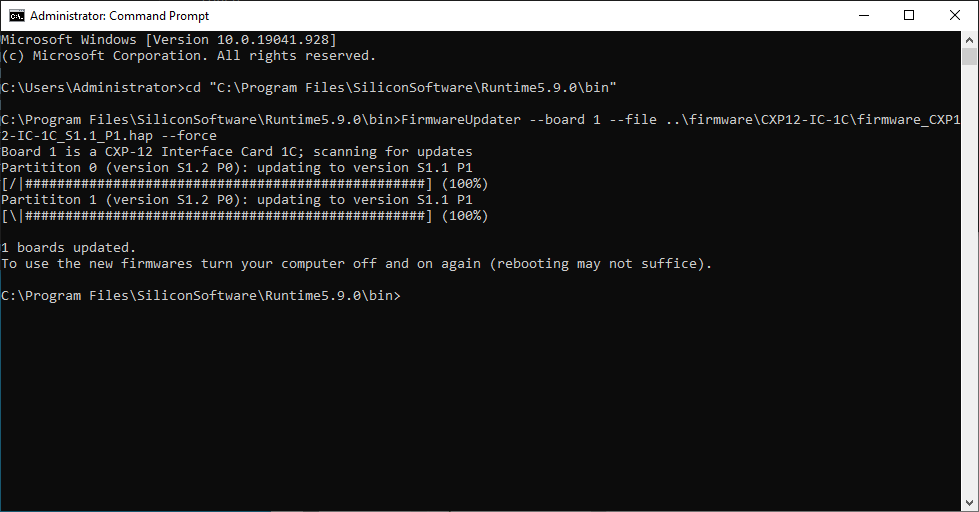
如果采集卡需要特定的旧版本固件,则参数 --board <id>, --file <path> 以及选项 --force 需要组合使用:
FirmwareUpdater --board 0 --file ..\firmware\CXP12-IC-1C\firmware.hap --force
FirmwareUpdater 的输出与更新过程中的输出相同:
信息
降级采集卡固件只能通过提供与采集卡上安装的静态版本相匹配的 applet 的 Framegrabber SDK 来完成。