
| 简短说明 | |
|---|---|
|
文件: \examples\Processing\Color\Bayer\NearestNeighbor_maVCL.va |
 |
|
默认平台: mE5-MA-VCL |
|
|
简要说明 Nearest Neighbor Bayer Demosaicing |
|
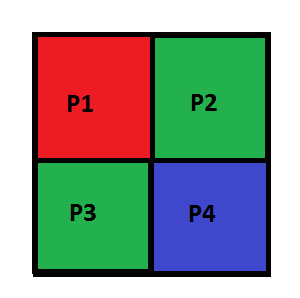
最近邻插值法是最简单的 Bayer 去马赛克算法。对于包含四个相邻像素 P1 到 P4 的 Bayer 模式 [Bay76] (参见 图 239,“Bayer 模式”), 可以根据 [Ada95] 对缺失的红色 (R)、绿色 (G) 和蓝色 (B) 颜色进行插值:
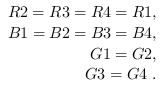
此处显示的是红后接绿的模式,但此插值方法适用于所有 Bayer 模式。
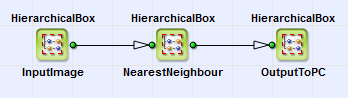
在 VisualApplets 中实现了一个用于最近邻插值的示例设计。您可以在 \examples\Processing\Color\Bayer\NearestNeighbor_maVCL.va 中找到它。 您可以在 图 240,“基本设计结构” 中查看其基本设计结构。HierarchicalBoxes InputImage 和 OutputImage 的内容等效于基本采集设计(另请参见 “针对 marathon Frame Grabbers 的 Camera Link 相机基本采集示例”)。
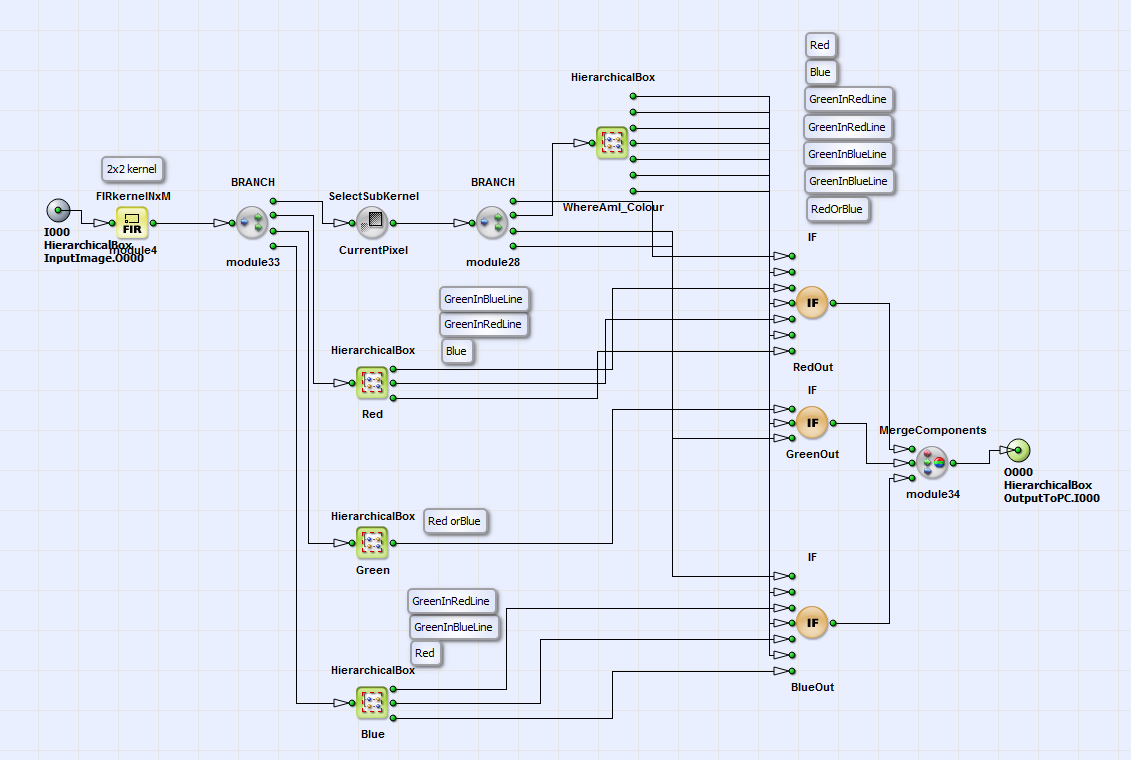
在 图 241,“NearestNeighbour 的内容” 中,您可以看到 HierarchicalBox NearestNeighbour。定义了一个
 kernel。当前的像素位置在此处为左上角。
红色、绿色和蓝色的计算根据 公式 1 在 HierarchicalBoxes 中进行 红色,
绿色, 蓝色 并且使用 CurrentPixel 借助 VisualApplets operator SelectSubkernel。
在 WhereAmI_Colour 中,使用 Modulo、AND、NOT 和 NotEqual operators 确定 Bayer 模式中当前像素位置的颜色。
设计中的注释框
详细说明了当前位置以及每个 link 处的颜色。借助三个 IF operators,将缺失的颜色添加到当前像素中。所有这三种颜色都与 operator MergeComponents.
kernel。当前的像素位置在此处为左上角。
红色、绿色和蓝色的计算根据 公式 1 在 HierarchicalBoxes 中进行 红色,
绿色, 蓝色 并且使用 CurrentPixel 借助 VisualApplets operator SelectSubkernel。
在 WhereAmI_Colour 中,使用 Modulo、AND、NOT 和 NotEqual operators 确定 Bayer 模式中当前像素位置的颜色。
设计中的注释框
详细说明了当前位置以及每个 link 处的颜色。借助三个 IF operators,将缺失的颜色添加到当前像素中。所有这三种颜色都与 operator MergeComponents.
 上一页
上一页

